

The Envato Elements WordPress plugin has been discontinued, requiring users to adapt their workflow for installing premium templates. Here’s your complete guide to the new process—and what it means for WordPress website design professionals.
What Changed with Envato Elements WordPress Templates?
Envato no longer offers direct WordPress plugin integration. Users can’t browse and install templates directly from their WordPress dashboard anymore. This change affects thousands of designers and developers who relied on seamless template integration.
New Template Installation Process
Step 1: Download from Envato Elements
Visit https://elements.envato.com/ to browse and download your chosen template. Select your desired design and download the template kit file to your computer.
Step 2: Install Template Kit Import Plugin
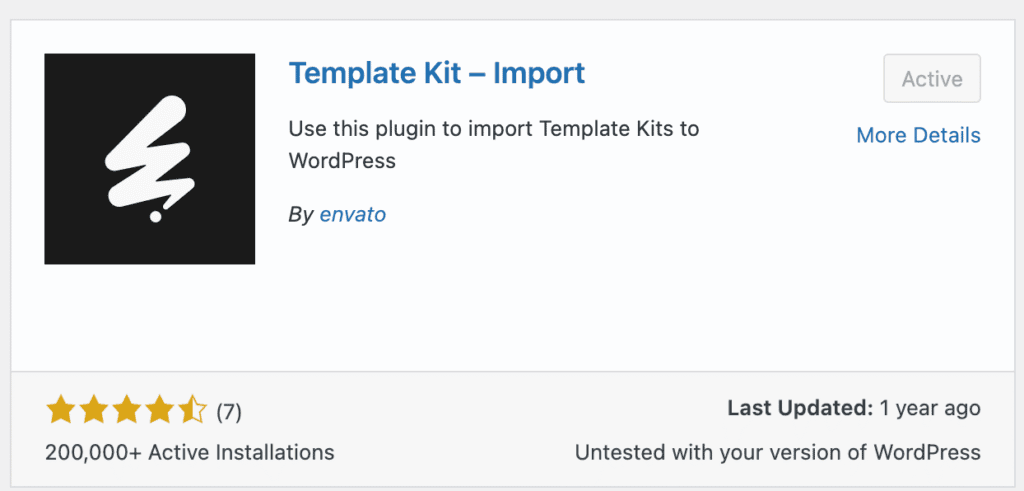
Navigate to your WordPress admin panel and install the “Template Kit Import” plugin. This free tool replaces the discontinued Envato Elements plugin functionality.
Step 3: Upload Your Template
Go to Tools > Template Kit in your WordPress dashboard. Click “Upload Template Kit” and select your downloaded template file. The plugin will process and install your Envato Elements templates automatically.
Benefits for WordPress Website Design
This updated WordPress template installation method offers better file management and reduces server load. Users maintain full control over their template files while ensuring compatibility with the latest WordPress versions.
Troubleshooting Template Kit Import Issues
If you encounter upload errors, check your file size limits and ensure you’re using the correct template kit format. Most issues resolve by increasing PHP memory limits in your hosting settings.
The new Envato Elements workflow may require adjustment, but it provides more reliable template management for WordPress users.
Envato Elements FAQ
Envato discontinued their direct WordPress plugin integration to improve system reliability and reduce server load. The new process provides better file management and ensures compatibility with the latest WordPress versions while giving users more control over their template files.
Visit ElementsEnvato.com directly in your web browser. Browse through the available templates, select your desired design, and download the template kit file to your computer. You’ll need an active Envato Elements subscription to access the downloads.
The Template Kit Import plugin is a free WordPress plugin that replaces the discontinued Envato Elements plugin functionality. You can install it directly from your WordPress admin panel by going to Plugins > Add New and searching for “Template Kit Import.”
After downloading your template from Envato Elements and installing the Template Kit Import plugin, go to Tools > Template Kit in your WordPress dashboard. Click “Upload Template Kit,” select your downloaded template file, and the plugin will automatically process and install your template.
Yes, your Envato Elements subscription remains valid. You’ll just need to adapt to the new workflow of downloading templates directly from the Envato Elements website instead of browsing them within WordPress.
Need help? Contact Supremium Ads
Don’t let technical challenges slow you down. Our experienced website design team at Supremium Ads is ready to provide the personalized support you need to succeed. Get professional assistance and solutions tailored to your specific requirements.



1 thought on “Envato Elements WordPress Plugin Discontinued: New Template Installation Guide”
It’s unfortunate that Envato discontinued the Envato Elements plugin. For those looking for alternatives, there are some community-supported options available, such as https://github.com/wpspace-net/ElementorKit.