

When running Google Ads, one of the primary questions for marketers and small business owners is, “How do I reduce my cost per click (CPC) without losing performance?” Managing CPC effectively allows your budget to stretch further, generating more traffic, leads, and sales for the same investment. The good news? There are proven strategies to lower your CPC while maintaining visibility and conversions.
This complete guide will walk you through actionable steps to optimize your campaigns, reduce CPC on Google Ads, and achieve better ROI. If you’d prefer expert assistance, our San Diego marketing agency specializes in helping businesses like yours achieve these goals efficiently and effectively.
What is Cost Per Click (CPC)?
Cost per click (CPC) refers to the amount you’re charged every time someone clicks on your ad. Google determines your CPC based on several factors, including your maximum bid, your ad quality, and competitor activity.
For example:
If you bid $1.50 per click, but your competitors only bid $1.20, your actual CPC might be lower.
However, if your ad is less relevant or has a low Quality Score, you'll likely pay more than competitors to achieve the same placement.
Clearly, reducing CPC isn’t just about lowering your bids. Instead, it’s about improving multiple aspects of your campaign to maintain results while cutting costs. Let’s explore how.

1. Refine Your Keyword Strategy
Choosing the right keywords is one of the most impactful ways to reduce your CPC. Here’s how to do it:
1.1 Conduct Comprehensive Keyword Research
Long-tail keywords (e.g., “affordable digital marketing services”) that often have lower competition and CPC compared to short keywords like “marketing services.”
Keywords with moderate search volume and high commercial intent.
1.2 Use Negative Keywords
Adding negative keywords helps filter out irrelevant traffic. For instance:
If you sell luxury furniture, you might add “cheap” or “free” as negative keywords. This ensures you don’t pay for clicks from users looking for budget options.
1.3 Focus on Match Types
Experiment with match types like:
Broad Match Modifier (e.g., +affordable +furniture)
The PPC agency should accept the invitation through their Google Ads account.
Exact Match (e.g., [affordable furniture])
Using more precise match types prevents your ad from showing on irrelevant queries.
By targeting the right keywords and avoiding the wrong ones, you’ll attract qualified clicks without overspending.

2. Boost Ad Quality to Lower CPC
Google rewards advertisers with lower CPC for high-quality ads. A concept called Quality Score plays a crucial role. This score is based on:
Ad relevance
Landing page experience
Expected click-through rate (CTR)
2.1 Write More Relevant Ad Copy
Craft ad copy that aligns closely with your keywords and audience intent. For example, if your keyword is “buy organic skincare,” your ad copy should directly address this need:
Headline: “Shop Organic Skincare - 25% Off Today!”.
Description: “Nourish your skin with all-natural ingredients. Free shipping on orders over $50.”
2.2 Optimize Your Landing Pages
Your landing page should:
Match the ad’s message and keywords. If your ad promotes organic skincare, drive traffic to a page dedicated to those products, not your homepage.
Load quickly and be mobile-friendly.
Provide a seamless user experience with clear calls to action (CTAs).
2.3 Test Ad Variations
Use A/B testing to identify what resonates with your audience. Test different headlines, descriptions, and CTAs to find the combination that drives the highest engagement and lowers CPC.
Pro Tip: High-performing ads often highlight specific benefits, use action-oriented language, and address a problem users are trying to solve.

3. Leverage Advanced Targeting Options
Precise audience targeting can significantly lower CPC since you’ll avoid paying for irrelevant clicks. Here’s how to optimize your targeting:
3.1 Utilize Demographic Targeting
Adjust your campaigns based on:
Age
Gender
Household income
For example, a high-end luxury product might perform better when targeting higher income brackets.
3.2 Harness Geographic Targeting
If you run a local business or target specific regions, make use of location targeting. This ensures your ads only appear to users in relevant areas, reducing wasted spend.
3.3 Incorporate Audience Segmentation
Google Ads allows you to target specific audience segments, such as:
Affinity Audiences (e.g., “health enthusiasts” or “tech lovers”)
Custom Intent Audiences (users actively searching for services like yours)
Targeting these refined groups ensures your ad spend is concentrated where it matters most.
3.4 Retarget Past Visitors
Retargeting campaigns have lower CPC and higher conversion rates because they focus on users already familiar with your business. Use them to reconnect with users who:
Visited your website but didn’t convert.
Added items to their cart without completing a purchase.
By narrowing your audience to only the most relevant users, you can cut down on wasted clicks and focus on high-value opportunities.
4. Optimize Your Bidding Strategy
4.1 Use Automated Bidding Tools
Google Ads offers automated bidding options like:
Target CPA (Cost Per Acquisition): Optimizes bids to get conversions at a target cost.
Maximize Clicks: Focuses on driving as many clicks as possible within your budget.
Target ROAS (Return on Ad Spend): Adjusts bids to achieve a specific percentage return.
Automated tools analyze data and optimize in real-time, saving you time while improving performance.
4.2 Lower Your Max CPC Bids Strategically
If you’re overspending on certain keywords without generating results, gradually reduce your max CPC bid. Monitor impacts on impressions and clicks to find the sweet spot.
4.3 Dayparting and Bid Adjustments
Analyze your data to find the days and times that drive the most valuable traffic. With this knowledge:
Increase bids during peak hours or profitable days.
Decrease bids during low-conversion times to avoid wasted spend.
Being intentional with how you allocate your budget ensures every dollar delivers maximum returns.
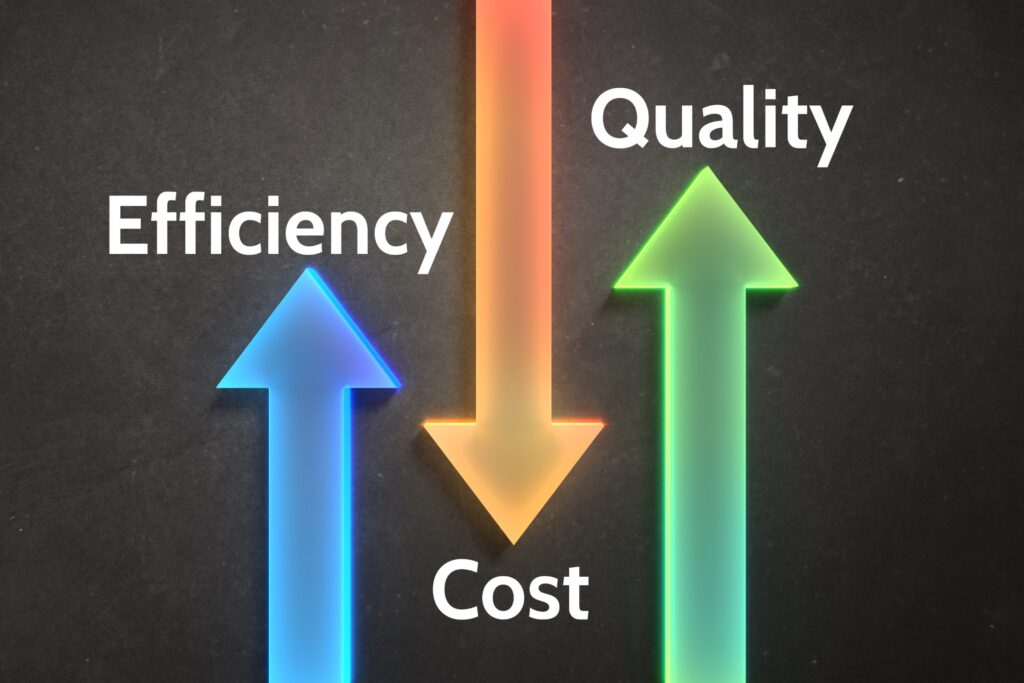
5. Track and Optimize Performance Regularly
The key to successful campaign management is continuous optimization. Even small tweaks over time can lead to significant CPC reductions.
5.1 Monitor Campaign Metrics
Track these metrics regularly:
Cost per click
Click-through rate (CTR)
Conversion rate
Quality Score
By identifying underperforming areas, you can make adjustments to improve efficiency.
5.2 Pause Low-Performing Ads and Keywords
If certain ads or keywords consistently underperform, pause or adjust them to avoid unnecessary costs.
5.3 Use Conversion Tracking
Measuring actual conversions (e.g., purchases, sign-ups) rather than just clicks ensures you’re focusing on what matters most. This data can help you re-allocate your budget toward high-performing campaigns.
5.4 Regularly Update Campaigns
Google Ads trends and user behavior change over time. Revisit your keywords, ads, and targeting periodically to align with current conditions.
Takeaways and Final Advice
Reducing your CPC on Google Ads isn’t about cutting corners; it’s about making smarter choices. By refining your keyword strategy, improving ad quality, targeting the right audience, and leveraging bidding strategies, you can achieve better results on a lower budget.
Tools mentioned to assist with optimization include:
For more detailed guides and insights into Google Ads optimization, check Google Ads official Help Center.
Start implementing these strategies today and watch your costs come down while your clicks and conversions go up!
Don't Have Time to Manage Your Google Ads?
Leave it to the experts! Contact our San Diego PPC agency today and let us handle your campaigns for better results without the hassle. Get back to focusing on what you do best, we’ve got the rest covered!